
Footer
Adding a link to your accessibility statement
We recommend creating a local accessibility statement using a basic page. Once you've done this, add a link from your local site footer.
Updating the contact details in the footer
1. The footer is the section of content at the bottom of your website. You can add contact details so that your users can get in touch.
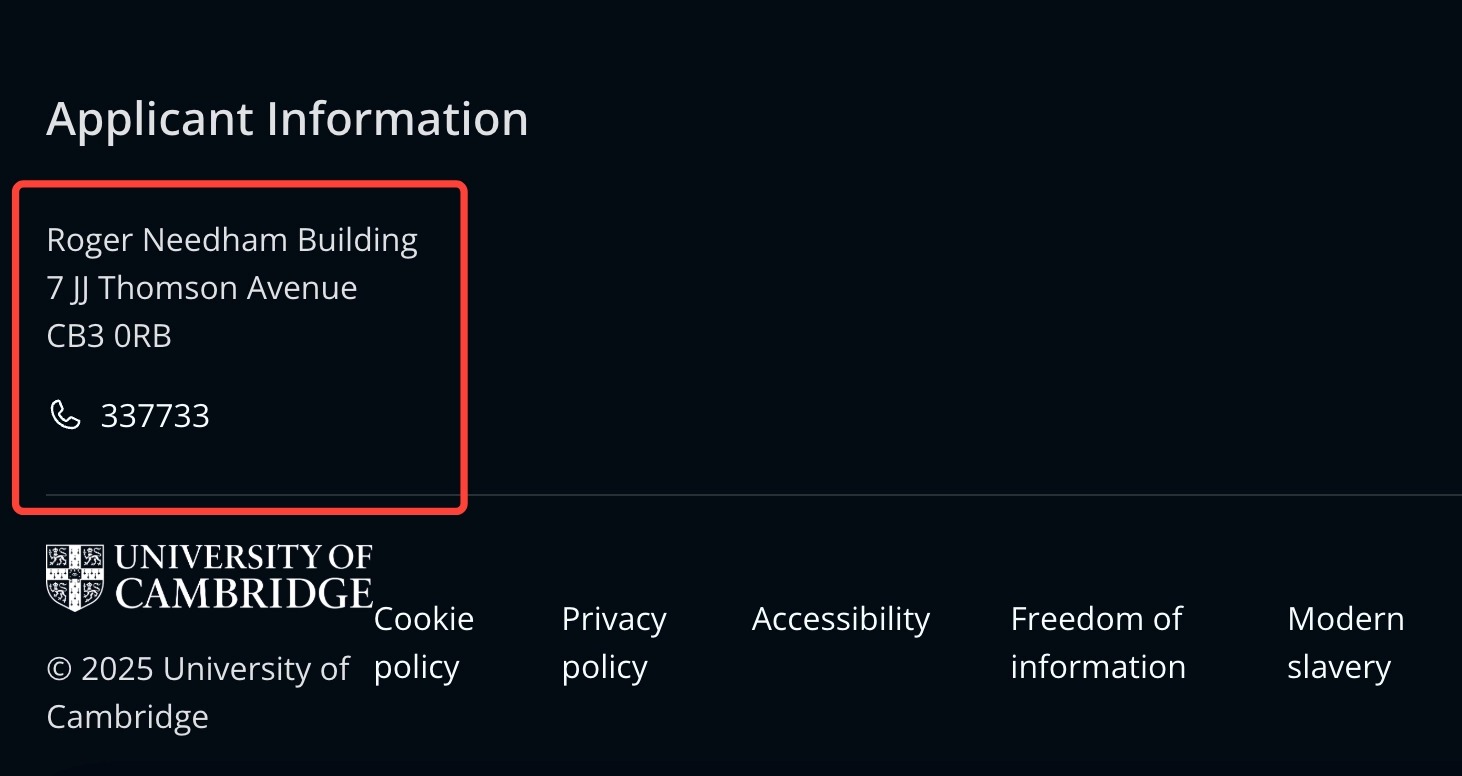
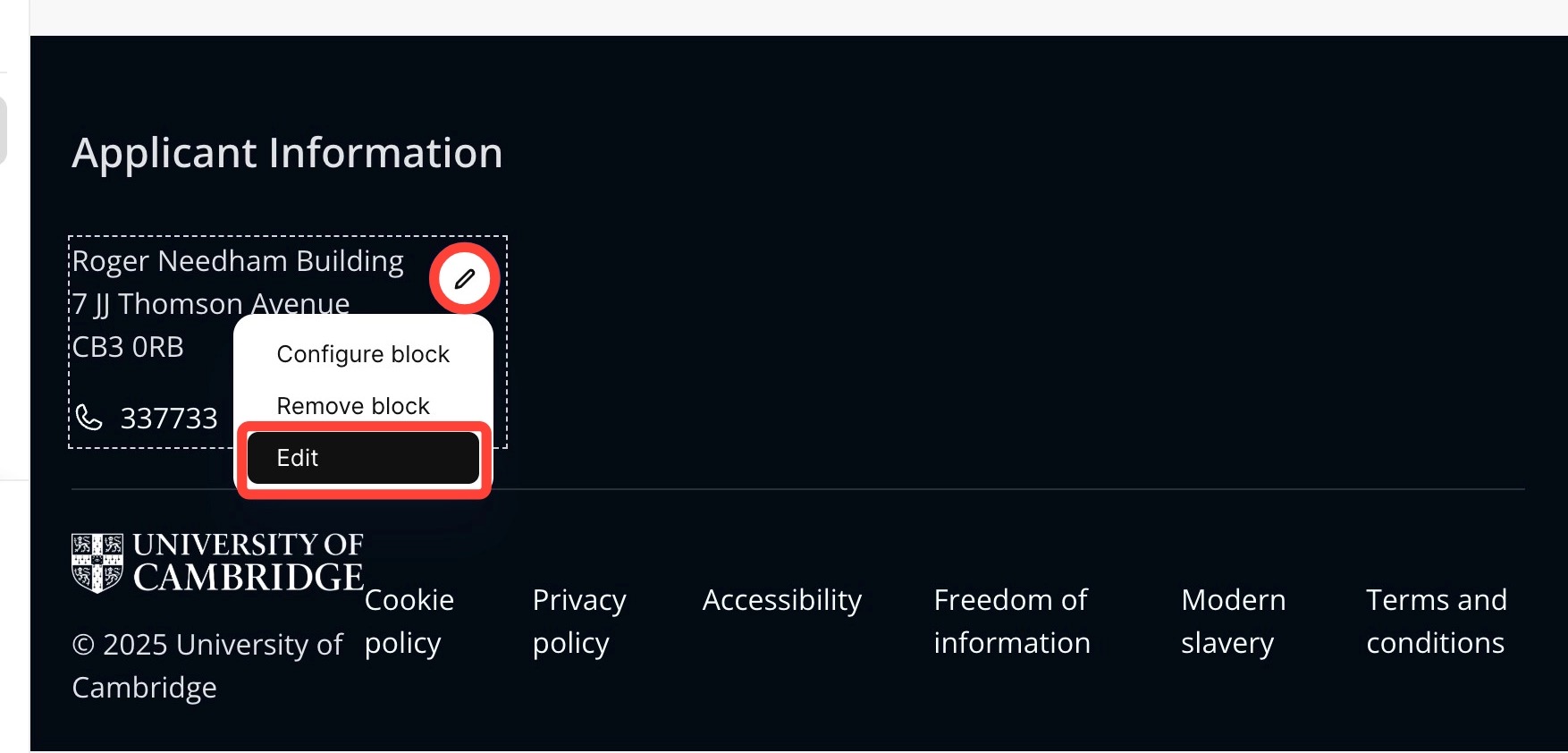
2. If you want to add or change contact details, please hover over the footer and click on the pencil icon. Select "Edit".
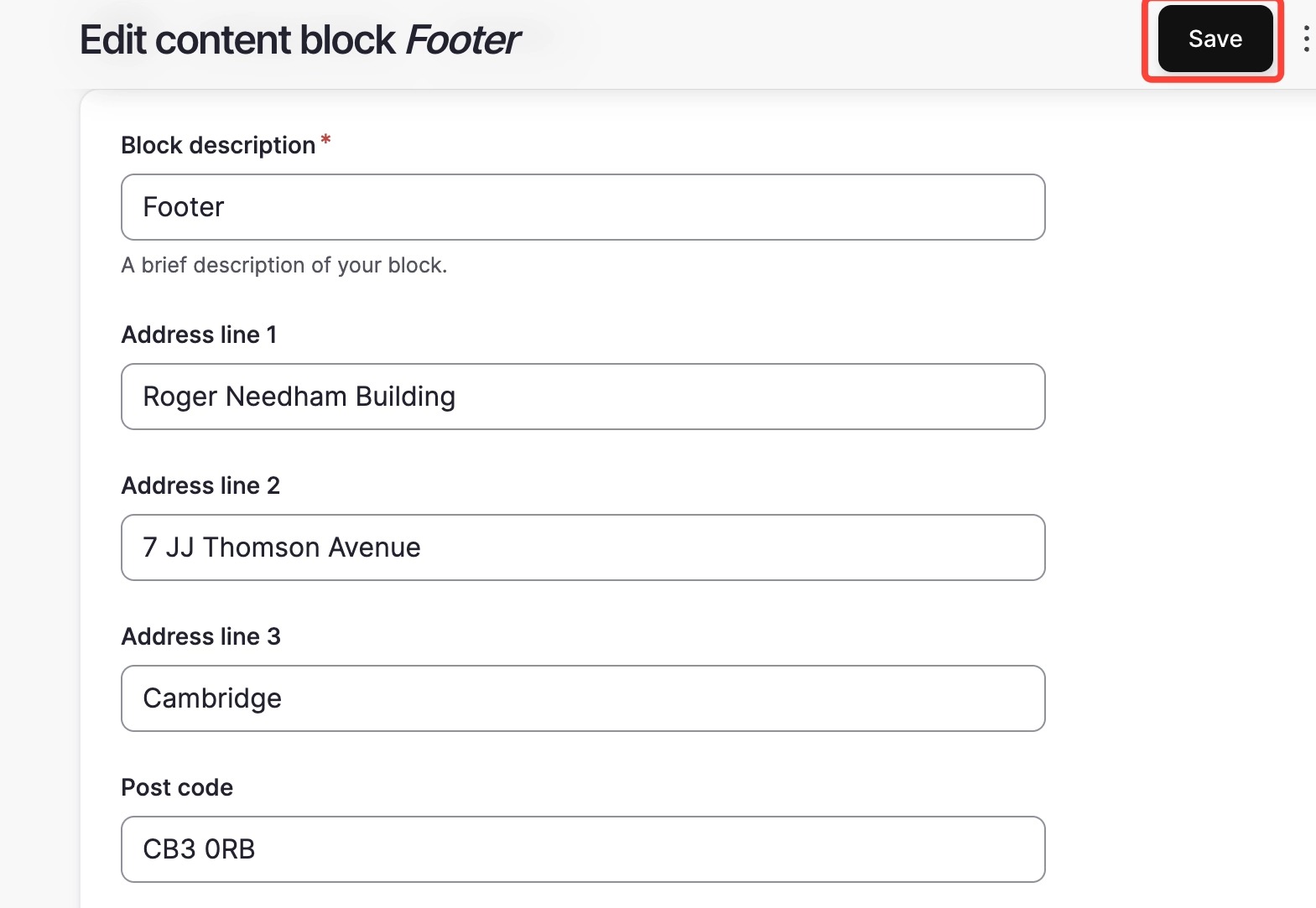
3. Update the contact details and select "Save". Go the homepage to check the content has updated.
Video instructions
Watch step-by-step video instructions on Scribe.how.
Adding social media links to the footer
1. Social media links can be placed in the site footer.

2. To add the links, select "Blocks" from the left hand side panel and then choose "+Add content block"
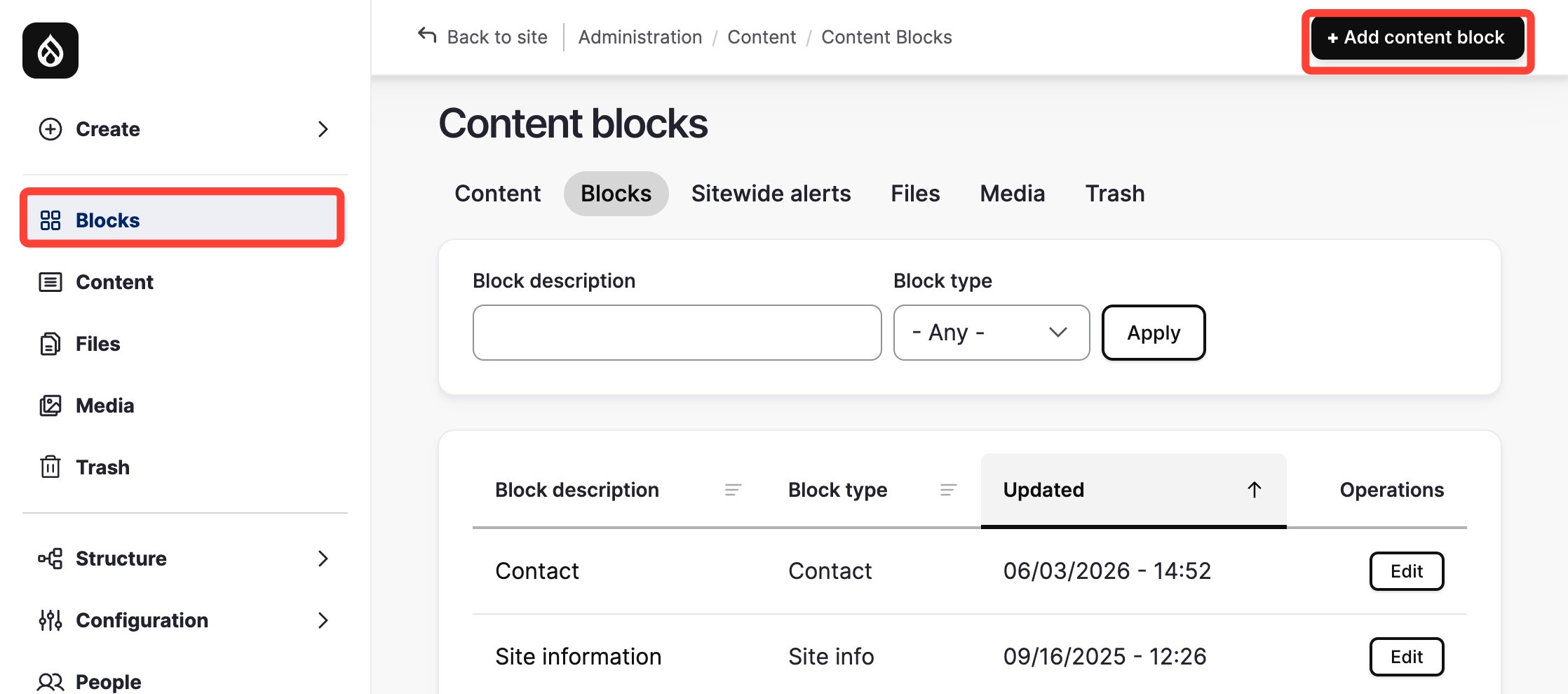
3. Type "Social media" in the "Block description" field.
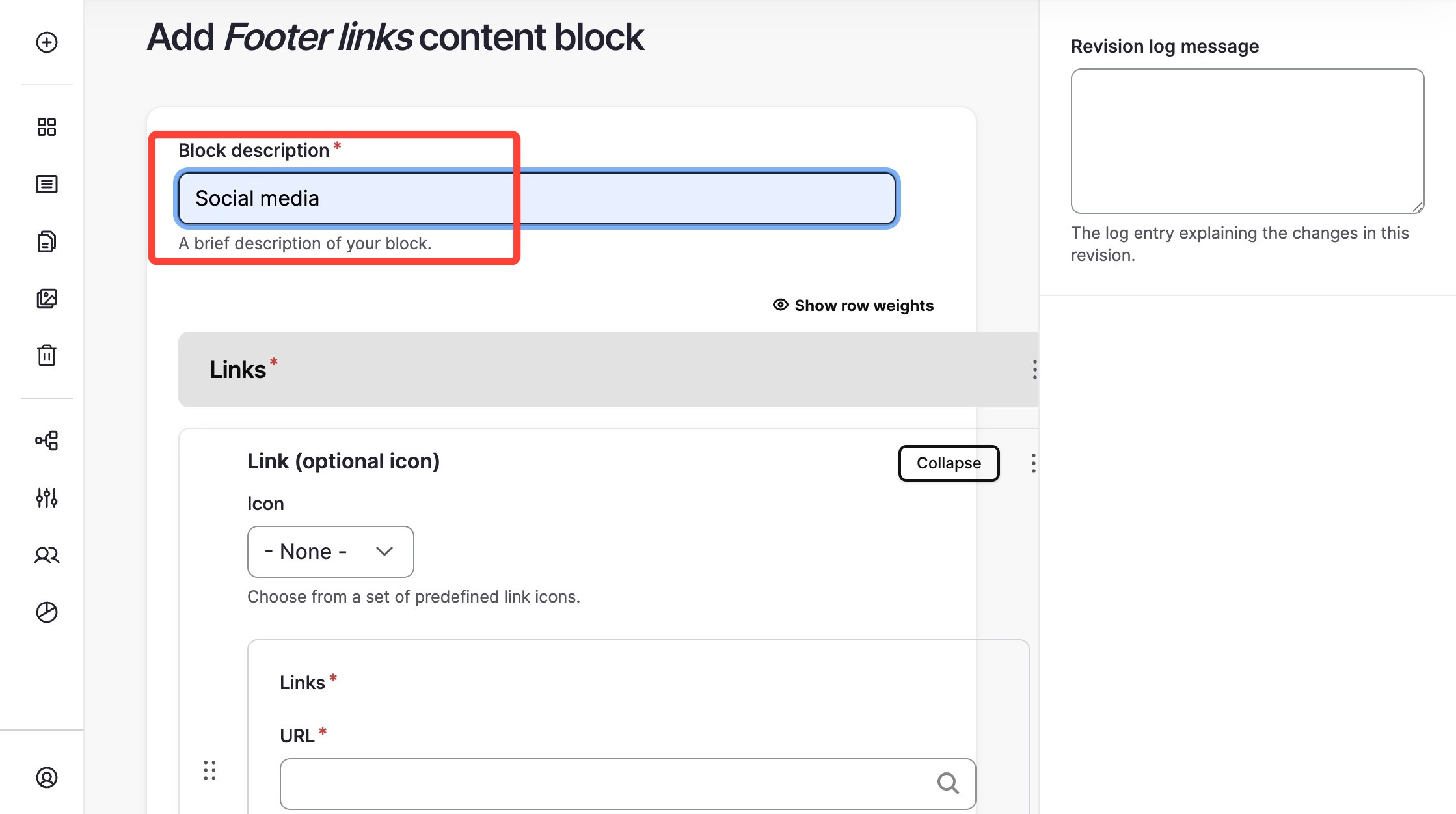
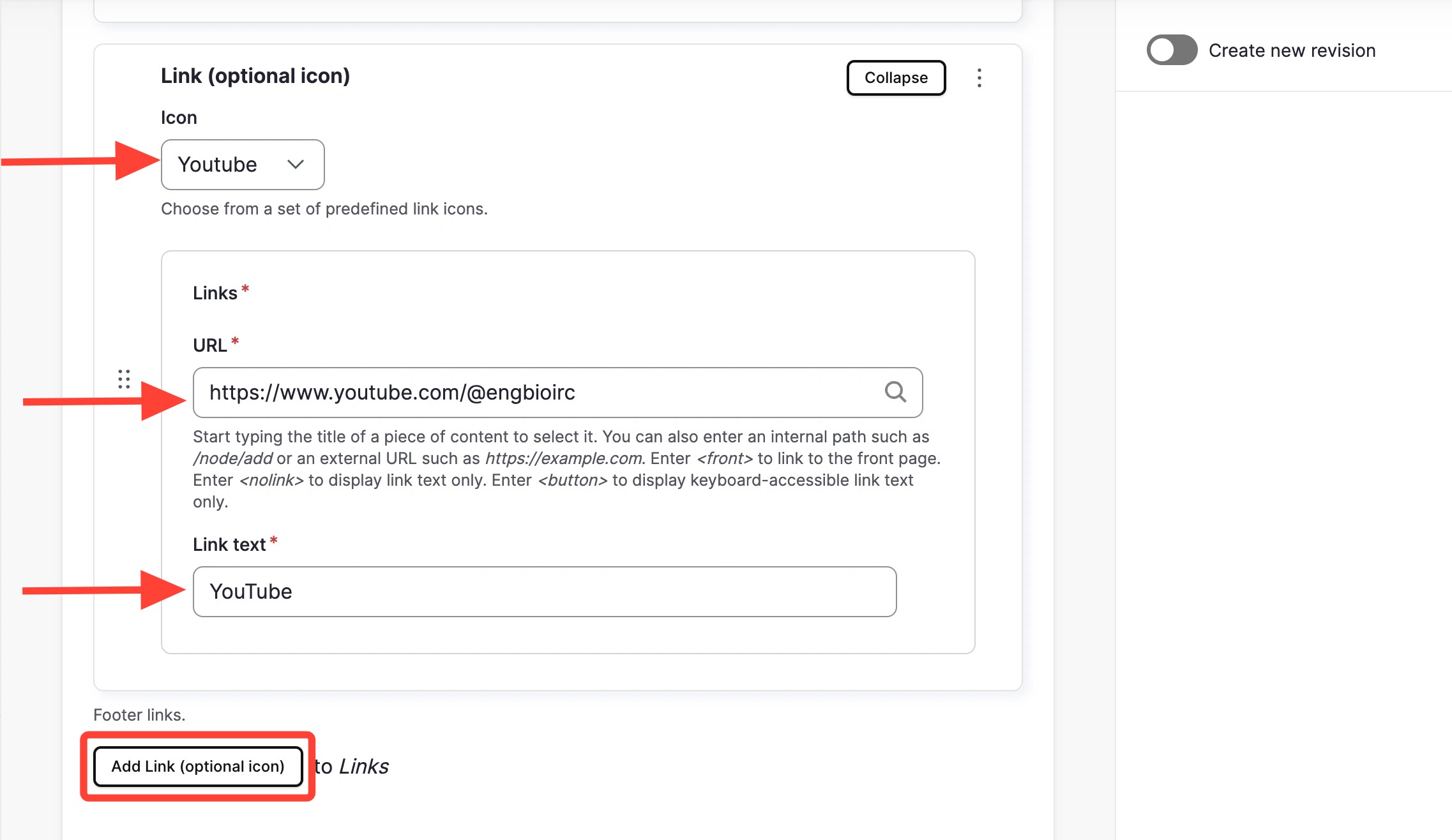
4. For each link, provide the "URL" and the "Link text". You may optionally include an icon for platforms such as LinkedIn, Instagram, Facebook, or YouTube.
To add more links, click the “Add Link” button below.
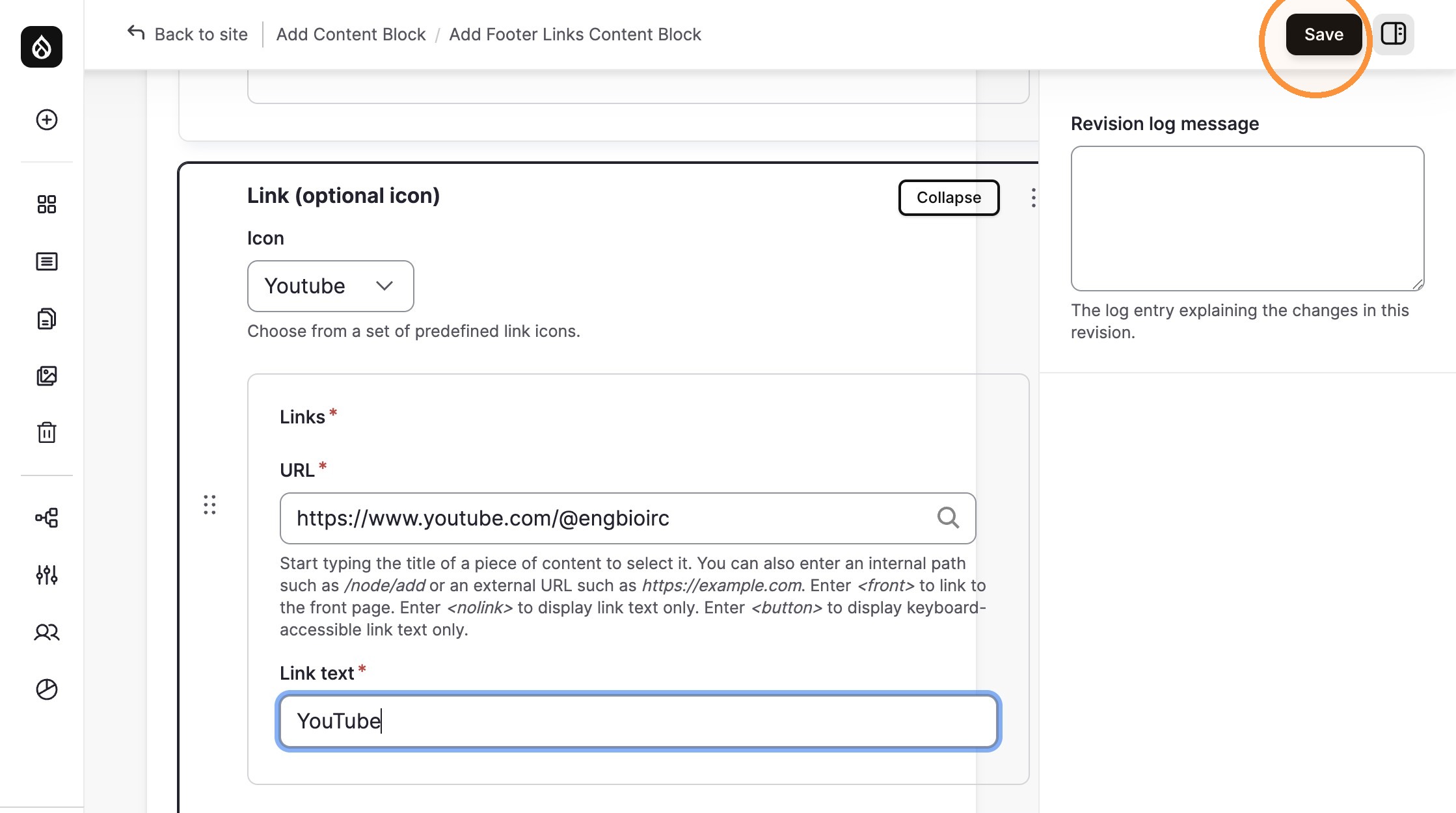
5. After adding your social media links, click "Save" in the top right corner.
Video instructions
Watch step-by-step video instructions on Scribe.how.