
Trash
Deleting and Restoring Content From Trash
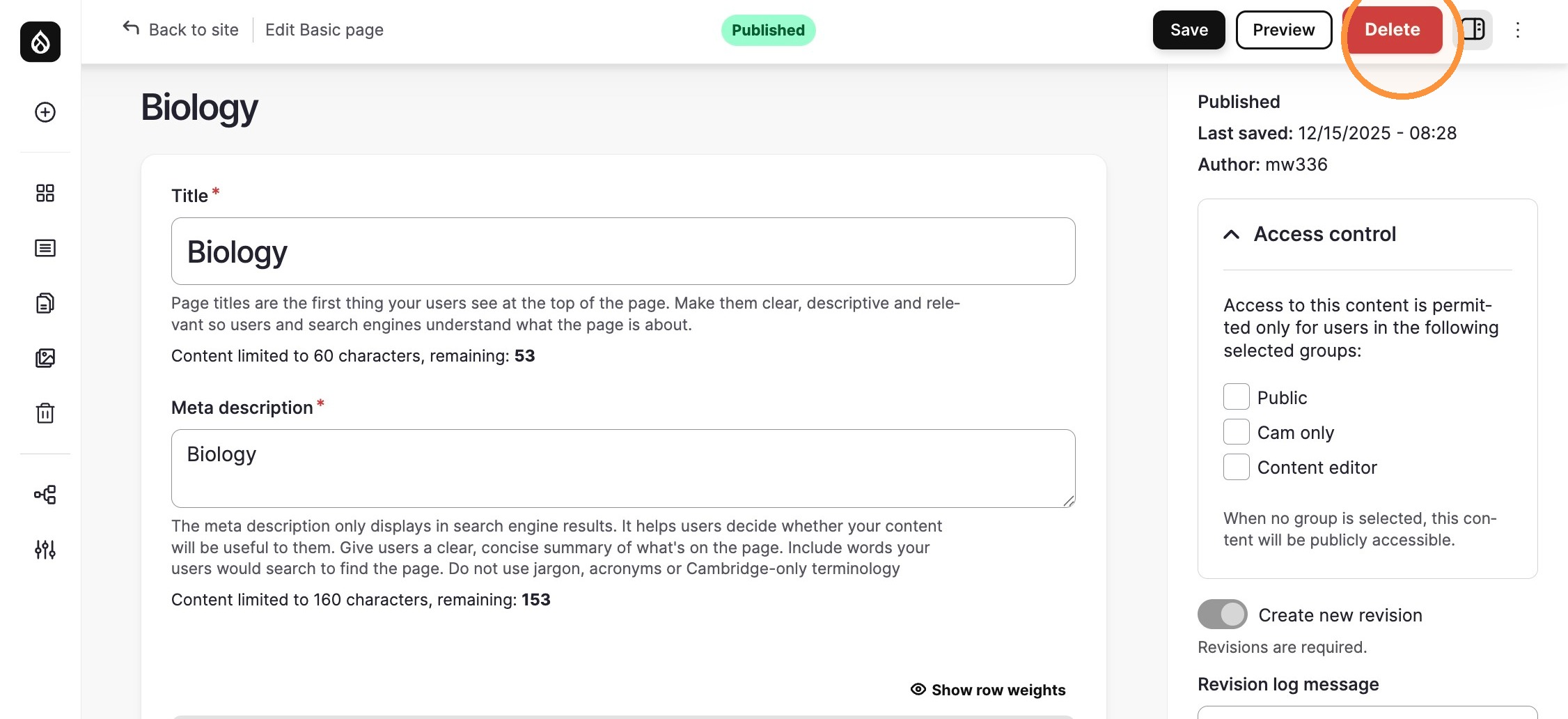
1. To delete an existing page, navigate to the page and click the "Edit" tab, then select the red "Delete" button.
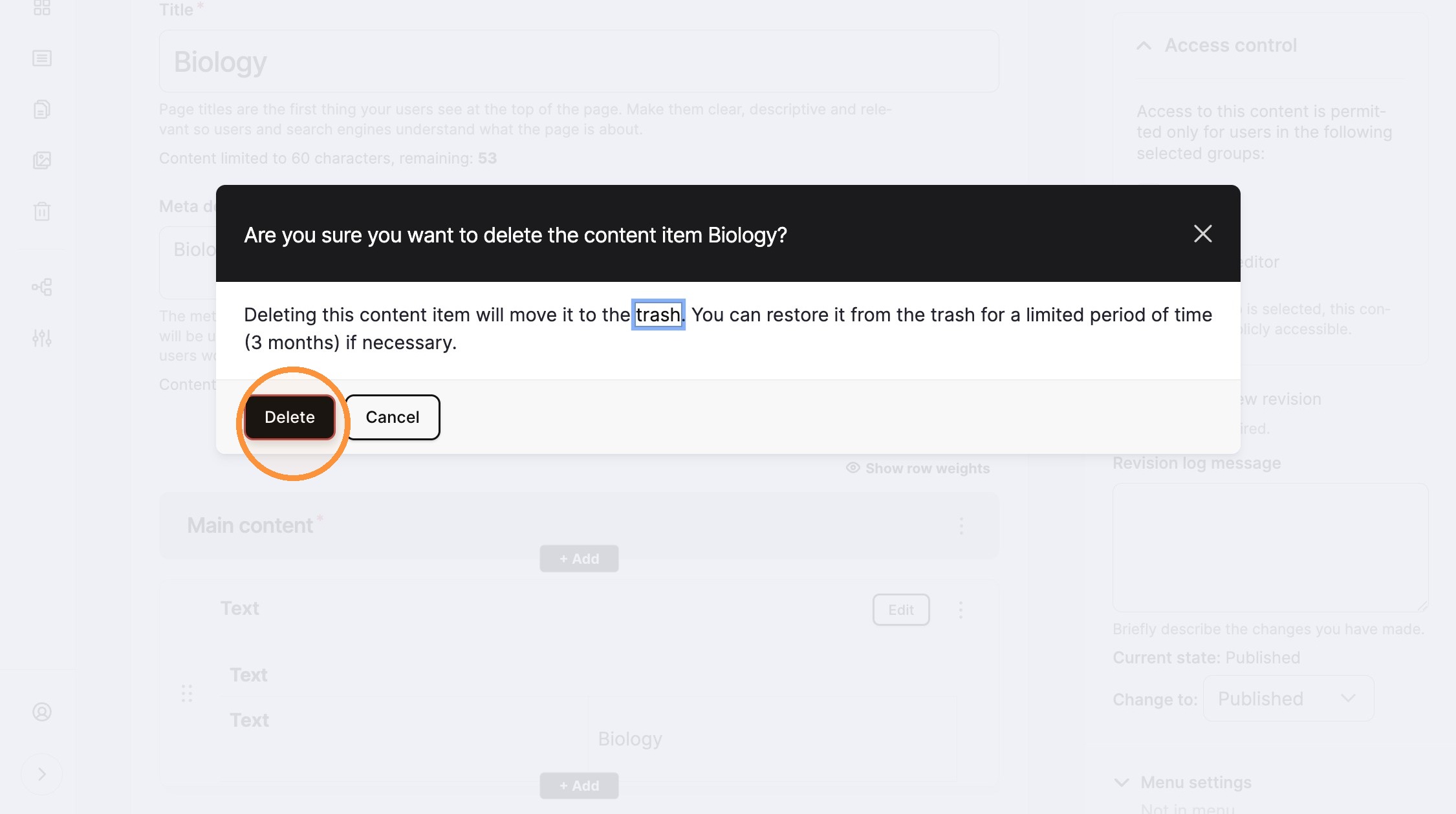
2. You will see a confirmation message that says "Deleting this content item will move it to the trash. You can restore it from the trash for 3 months if necessary." Select "Delete" to finalise the process.
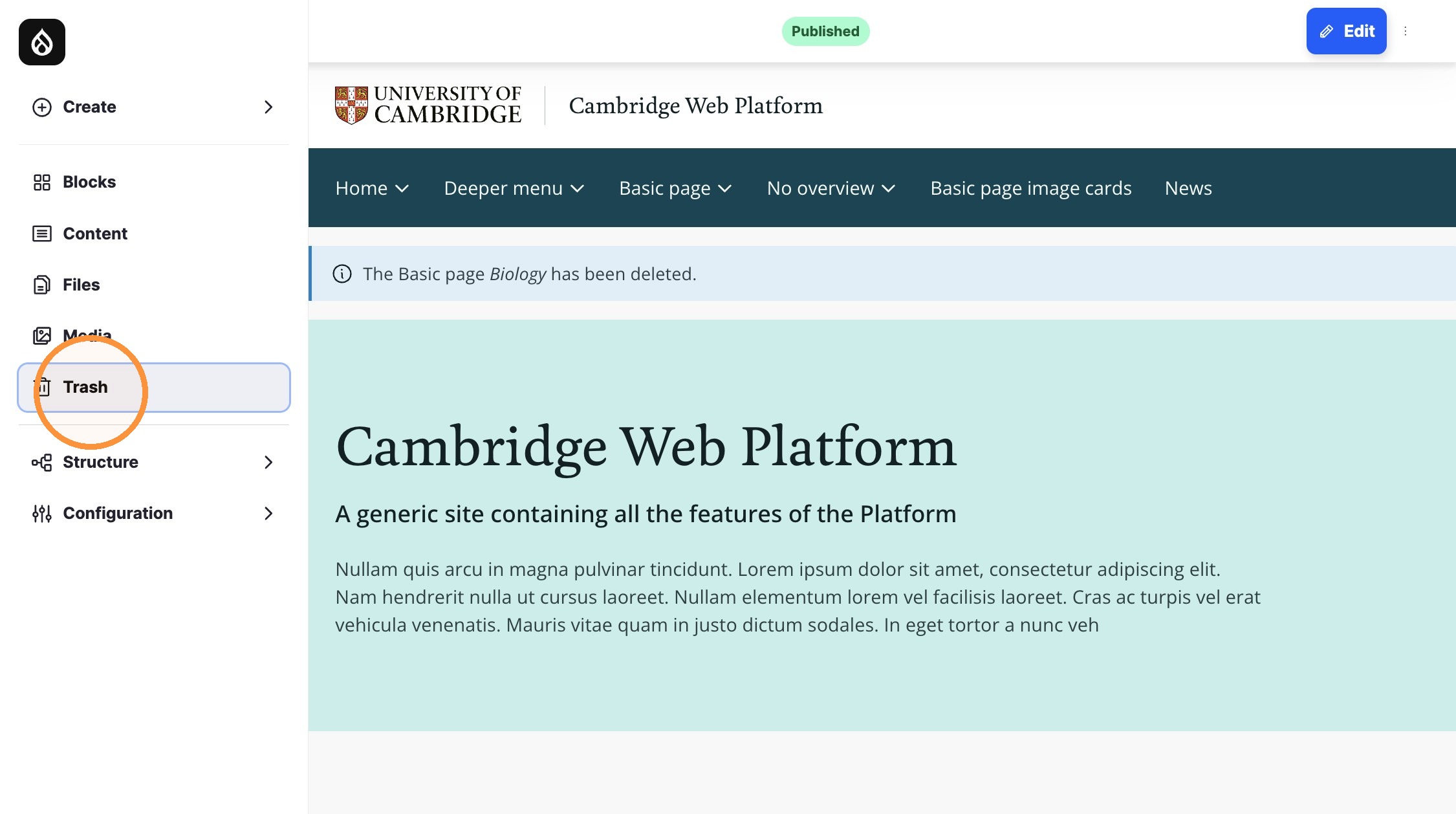
3. If you need to recover deleted content, select Trash from the left menu.
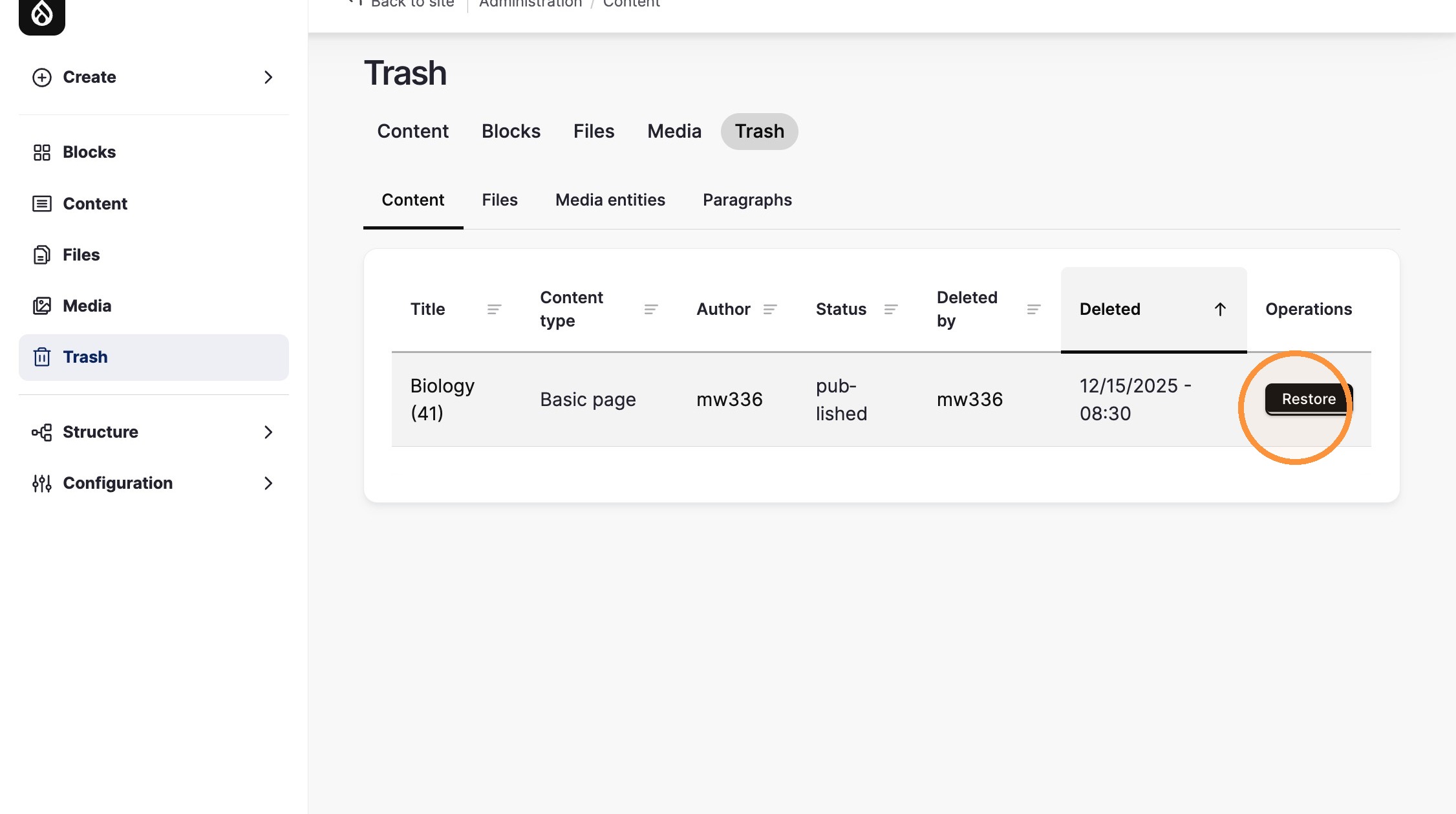
4. Locate the deleted page in the Trash list and click "Restore".
Video instructions
Watch step-by-step video instructions on Scribe.how.